Model First
以MVC專案為背景使用Model First來新增資料庫
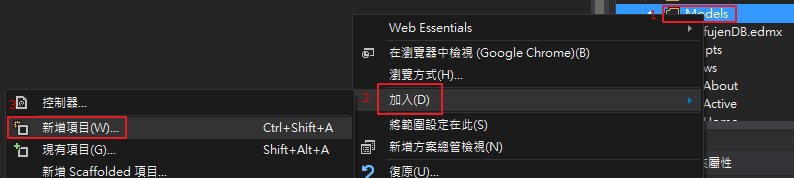
先在Model新增ADO.NET實體資料模型
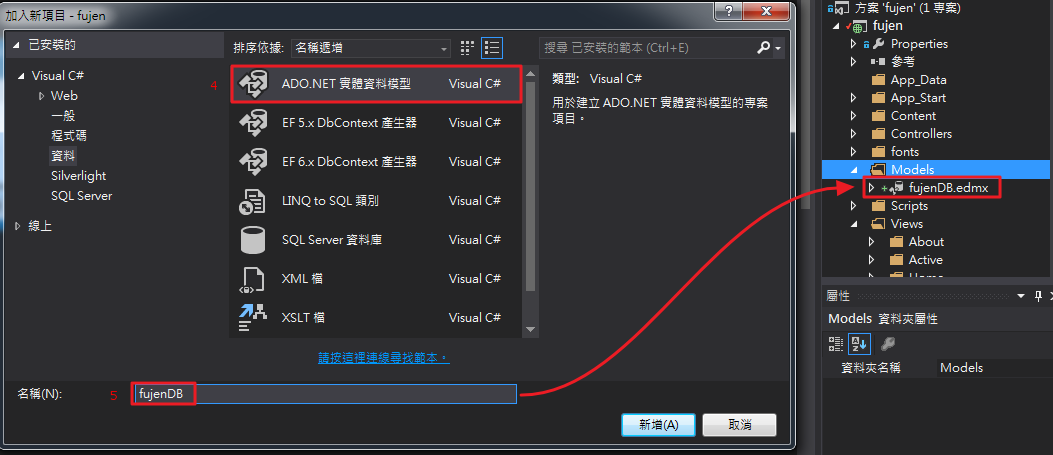
其實fujenDB.edmx應改為fujenModel.edmx比較恰當。
edmx的Model歸Model,Context歸Context。
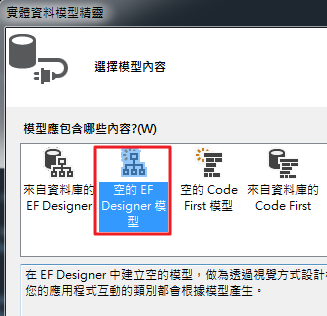
須注意要把實體容器名稱改成fujenDBContext,之後才方便後續的controller呼叫識別
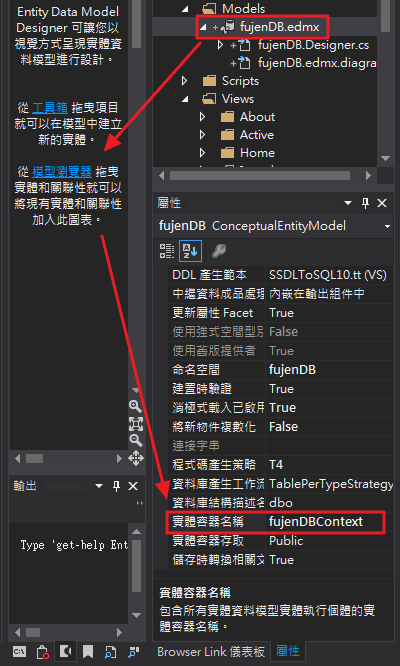
成功之後於edmx內加入實體、純量屬性即可完成新增ADO.NET實體資料模型
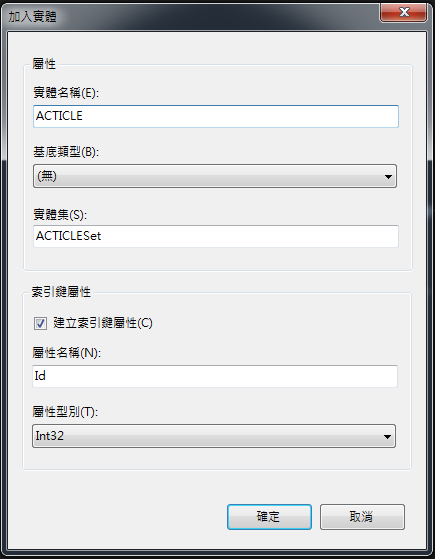
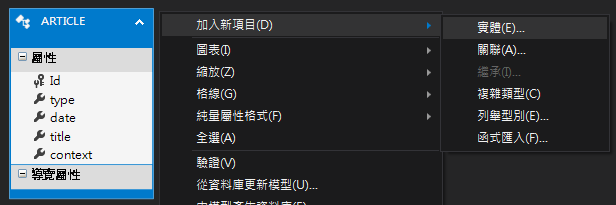
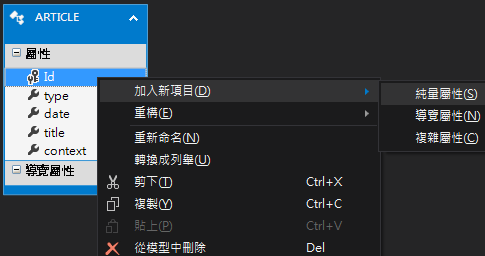
新增完此時的檔案結構為
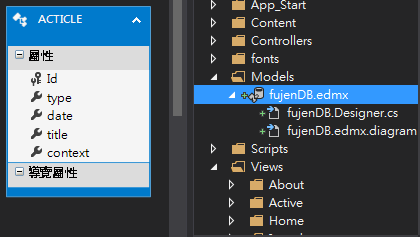
接下來由Model產生資料庫
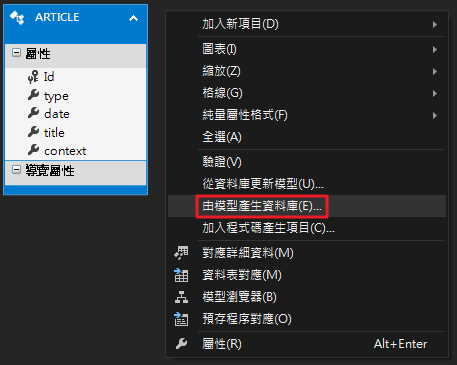
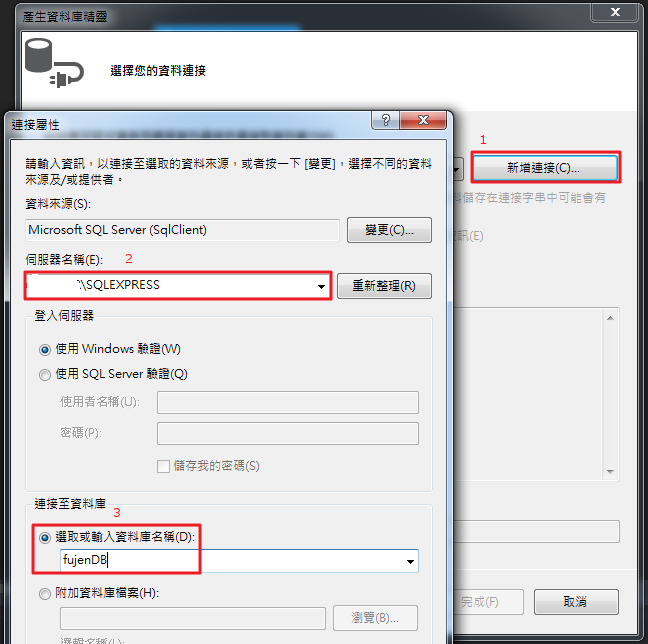
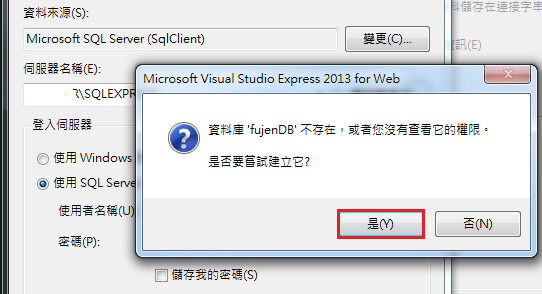
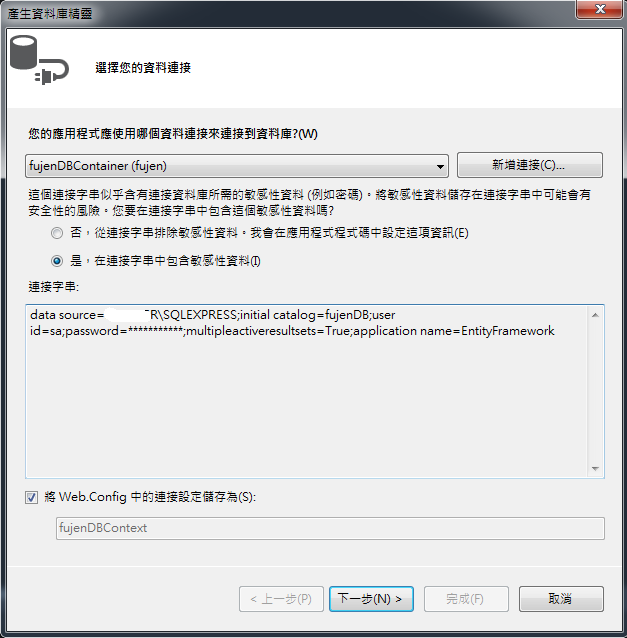
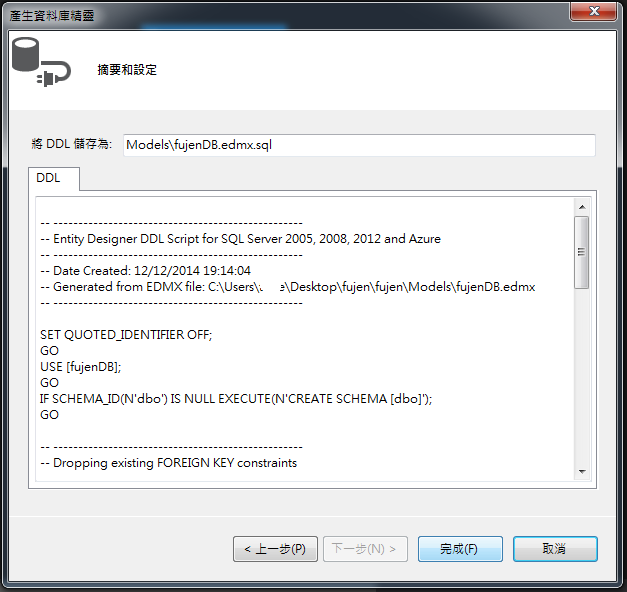
當由模型產生出資料庫後,就會在Model產生出如下右圖若干檔案
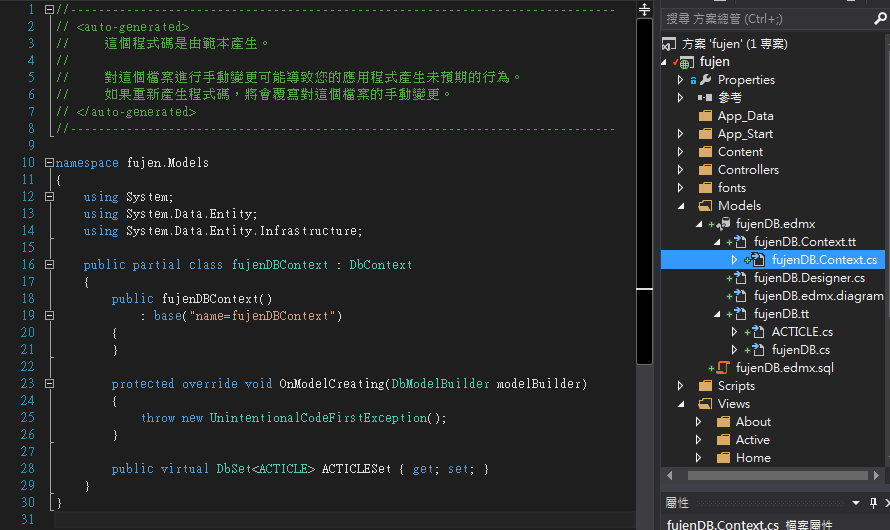
fujenDB.Context.cs檔案內容如下
namespace fujen.Models
{
    using System;
    using System.Data.Entity;
    using System.Data.Entity.Infrastructure;

    public partial class fujenDBContext : DbContext
    {
        public fujenDBContainer()
            : base("name=fujenDBContext")
        {
            Database.SetInitializer(new DropCreateDatabaseAlways<fujenDBContext >());
        }

        protected override void OnModelCreating(DbModelBuilder modelBuilder)
        {
            throw new UnintentionalCodeFirstException();
        }

        public virtual DbSet<ARTICLE> ARTICLESet { get; set; }
    }
}
ARTICLE.cs的實體如下
namespace fujen.Models
{
    using System;
    using System.Collections.Generic;

    public partial class ACTICLE
    {
        public int Id { get; set; }
        public string type { get; set; }
        public System.DateTime date { get; set; }
        public string title { get; set; }
        public string context { get; set; }
    }
}
此時於controller裡面就可以 new 個 DB物件(fujenDBContext)去操作它。
另外需注意的事,當做完由「模型產生資料庫」這步驟後,
雖然會Create資料庫但是不會產生資料表,必須加上
Database.SetInitializer(new DropCreateDatabaseAlways<fujenDBContext >());
或是手動在SQL server創立資料表才行,否則可能會在controller或是其他地方產生下列錯誤訊息
「使用者程式碼未處理 System.Data.Entity.Core.EntityCommandExecutionException
'System.Data.Entity.Core.EntityCommandExecutionException' 類型的例外狀況發生於 EntityFramework.SqlServer.dll,但使用者程式碼未加以處理」
参考資料: